Cursor 3 Launches
On April 4, Cursor 3 was officially released, described by the developers as a tool designed for a world where all code is written by agents.
Compared to Cursor 2 and other programming tools, the most significant change in Cursor 3 is the complete reconstruction of the editor around agents, centering the experience around agents rather than treating them as an enhancement mode.
According to the official video, Cursor 3 is a unified workspace built around agents, allowing multiple agents to be integrated on a single platform for higher-level coordination.
In simple terms, Cursor 3 allows multiple agents to run in parallel, executing their tasks across different environments such as cloud, local, mobile, and remote servers without interference, working collaboratively.
In addition, Cursor 3 has launched many new features:
- Optimized the speed of switching agents between different environments, allowing quick migration of agent sessions between cloud and local.
- Supports side-by-side or grid view to simultaneously view multiple sessions.
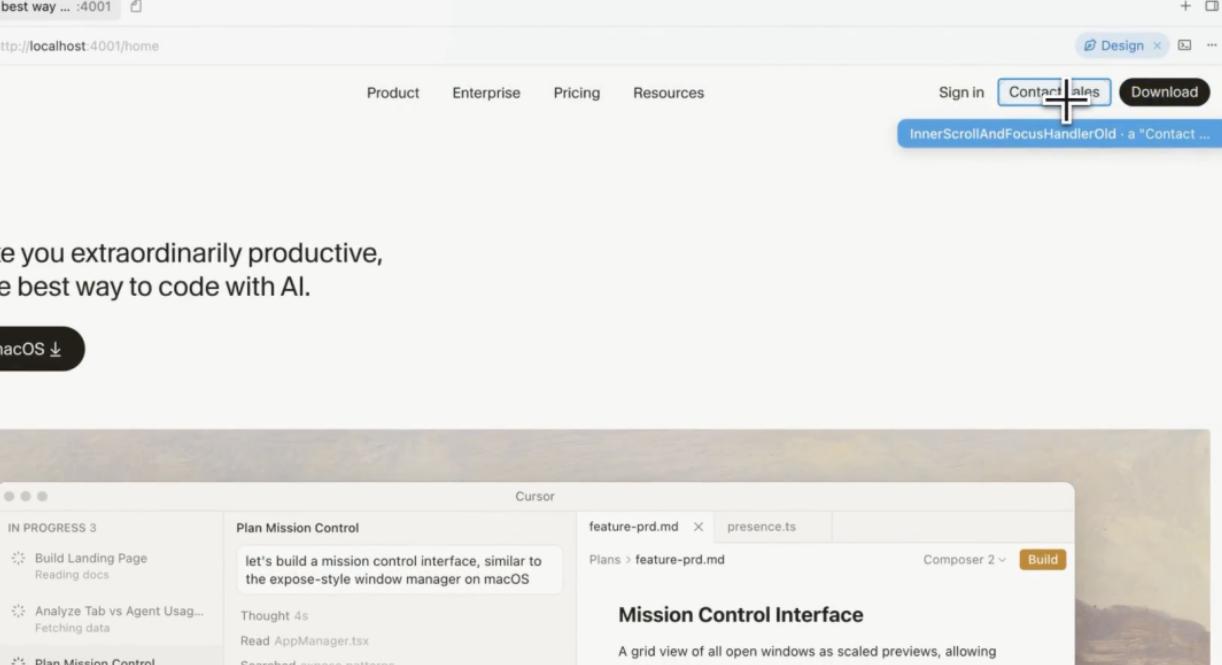
- Switch to design mode to directly select specific UI elements in the browser and modify them.
- The /best-of-n command allows multiple models to execute the same task simultaneously, enabling selection of the optimal result.
The release of Cursor 3 has sparked heated discussions, with developers praising it as not just a feature release but a redefinition of the tool’s purpose.
New Agent Interface
Cursor 3 features a brand-new agent interface that consolidates agents from local, cloud, and remote servers into a single platform. Press Cmd+Shift+P and enter “Agents Window” to open the new interface.
All agent sessions are arranged in the left sidebar, supporting side-by-side or grid mode for viewing multiple sessions simultaneously. These agents can collaborate across different code repositories, with cloud agents generating demonstrations and screenshots of work results for user confirmation, a feature integrated into the desktop application.
The new version significantly accelerates the migration speed of agent work environments. Users can switch sessions from cloud to local at any time and vice versa, ensuring that tasks progress without interruption during shutdown or sleep.
Cursor 3’s new interface resembles an agent management center, allowing users to assign tasks to different agents and monitor progress. However, Cursor 3 does not abandon the traditional IDE interface; the new agent workspace exists independently, allowing users to switch back to the Cursor IDE at any time.
Retaining IDE Features with Upgrades
While Cursor 3 emphasizes an agent-first interaction model, it retains the beloved IDE page and has made several upgrades:
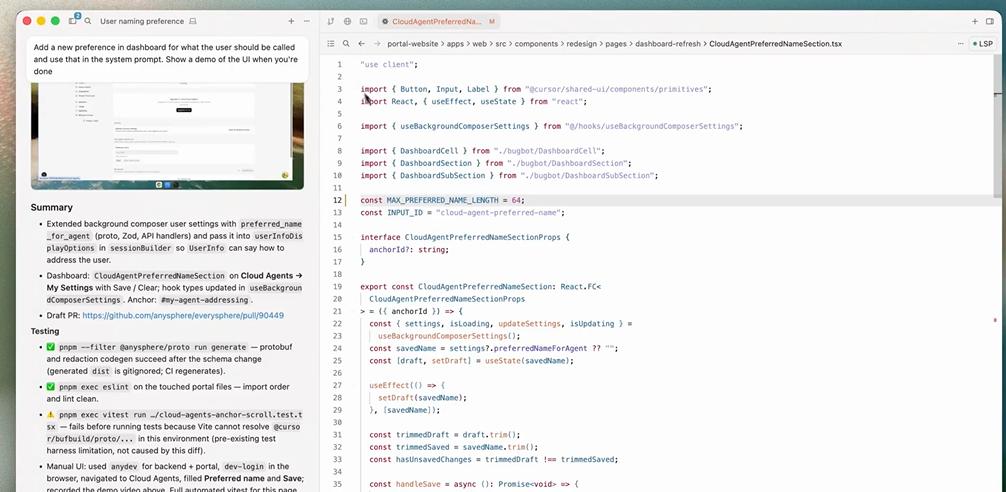
1. Code Explanation Files
Cursor 3 provides files that explain code, allowing users to delve into AI-generated code when in doubt, and supports LSP to jump to definitions without reviewing the entire project.
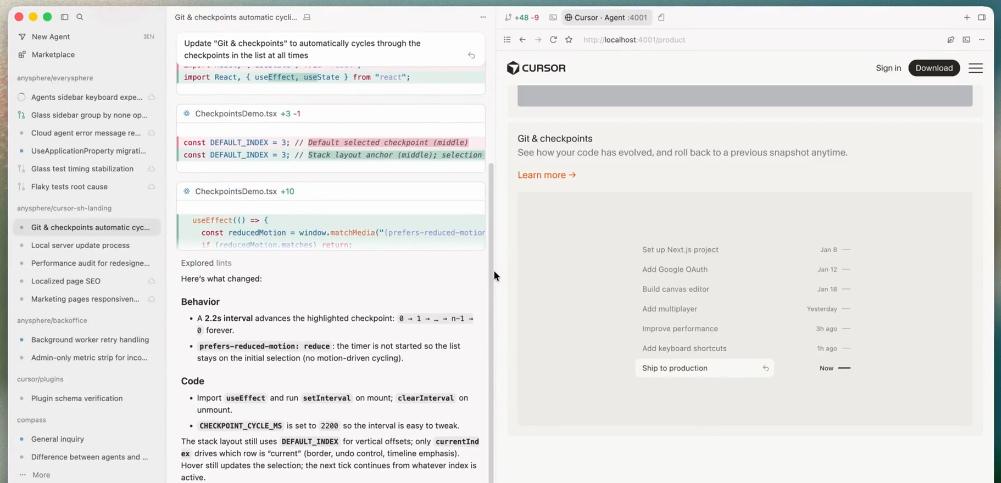
2. Integrated Browser
Cursor 3 includes a built-in browser for browsing local websites, enabling direct prompts to websites and code modifications in design mode.
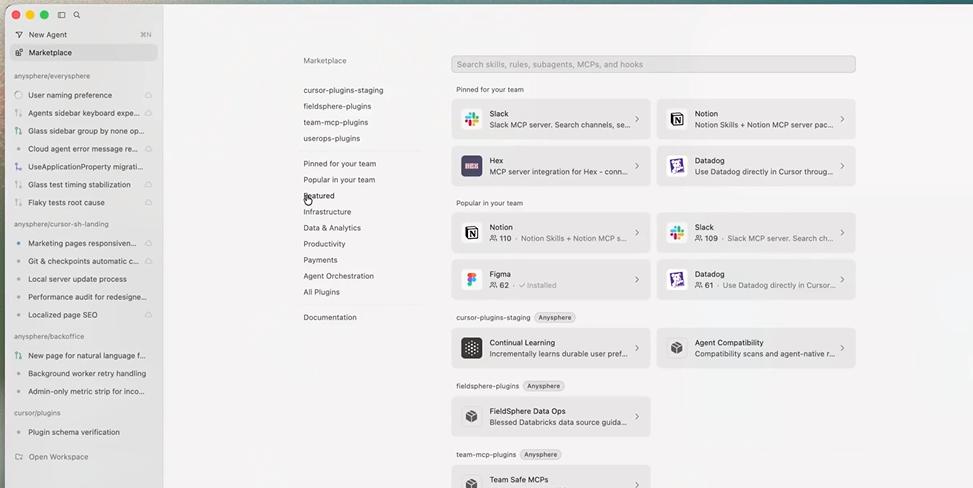
3. Rich Plugin Ecosystem
Through the Cursor application market, users can install hundreds of plugins based on MCP, Skill, or sub-agents with a single click. Cursor 3 has added over 30 plugins for Atlassian, Datadog, GitLab, Hugging Face, and supports building private enterprise plugin markets.
New Design Mode
In the agent interface, users can switch to design mode, allowing them to select UI elements in the built-in browser and have agents modify them directly, supporting natural language interaction.
For example, users can select a button and instruct the agent to change it to rounded corners, with the agent automatically making the edits.
Built-in Powerful Programming Model Composer 2
Cursor 3 integrates the controversial programming model Composer 2, which, despite using Kimi K2.5 as its open-source base, is affordable and effective, surpassing Claude Opus 4.6 in benchmarks like Terminal-Bench 2.0 while reducing costs by 80%.
Additionally, Cursor 3 supports multiple model integrations, including Claude, GPT, and Gemini. The update also introduces a new command /best-of-n, allowing different models to execute the same task and select the optimal result.
While token consumption is higher, efficiency improves, enabling users to analyze different models’ performance on various tasks and switch models in Cursor 3 as needed.
In terms of pricing, the subscription for Cursor 3 Pro remains at $20/month, while Pro+ increases usage limits for OpenAI, Claude, and Gemini models to $60/month, and the Ultra version is priced at $200/month.
Conclusion: Breaking Free from Plugin Labels
AI software development is entering its third era. From VS Code plugins to the new agent interface, and from integrating major models to the launch of Composer 2, the release of Cursor 3 not only reflects Cursor’s independent journey but also the future direction of agent development.
With the rise of Claude and OpenClaw, concepts like multi-agent frameworks and “one-person companies” have gained popularity. While many are still exploring how to implement multi-agent operations in programming tools, Cursor 3 has turned the concept into a product, allowing every Cursor user to genuinely experience commanding agents.
As the CEO of Cursor stated, this marks the third era of AI software development. While this may sound exaggerated, Cursor is indeed on the right path.
Comments
Discussion is powered by Giscus (GitHub Discussions). Add
repo,repoID,category, andcategoryIDunder[params.comments.giscus]inhugo.tomlusing the values from the Giscus setup tool.