Background: Why Now? Why CatPaw?
In 2024, the AI IDE wave led by Cursor swept the globe, but it faced three major pain points domestically:
- High Cost: $20/month subscription fee + opaque token consumption;
- Unstable Network: Access to models like Claude is restricted, often requiring manual proxy configuration;
- Weak Chinese Support: Significant prompt understanding deviations requiring repeated adjustments.
Meituan chose to take a latecomer approach:
✅ Internally stable for 2 years (launched as an editor plugin in 2023) ✅ Public beta officially opens in November 2025, launching the standalone product — CatPaw.
It does not aim to “reinvent the wheel” but instead uses Cursor as the interactive base + deep localization enhancements, carving out a pragmatic, efficient, developer-friendly technical route.
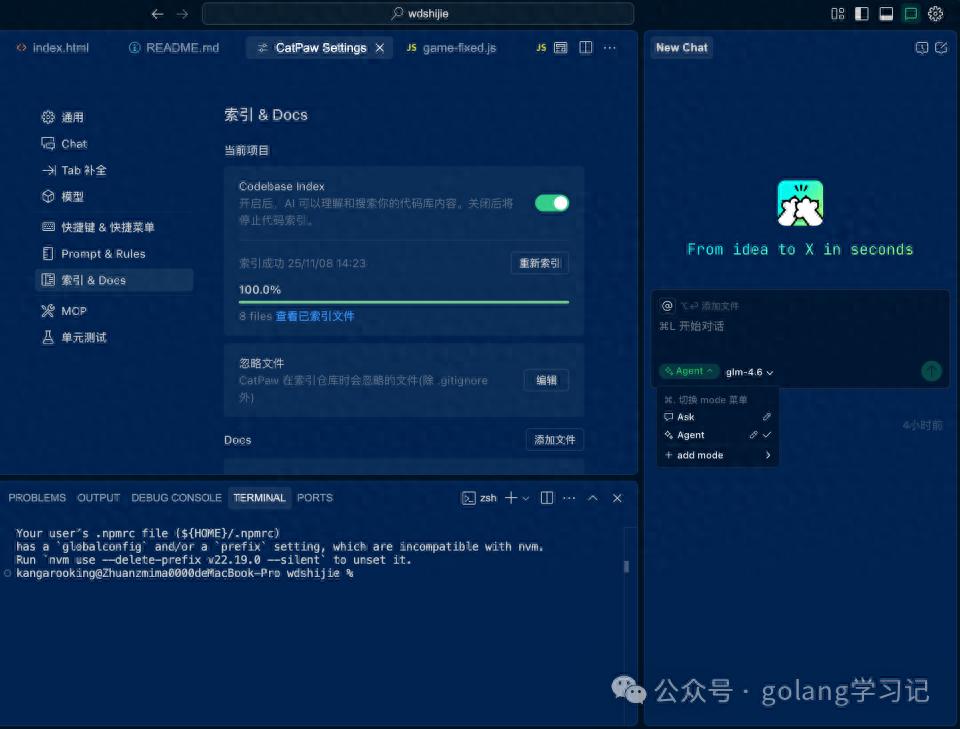
▲ Left: CatPaw | Right: Cursor | Highly consistent interaction logic, zero learning cost for old users to migrate.
Core Architecture: Dual-Mode Agent + Toolchain Loop
The core of CatPaw is the Ask / Agent dual-mode, covering all scenarios from lightweight Q&A to fully automated development:
| Mode | Behavior | Security | Typical Scenarios |
|---|---|---|---|
| Ask | Read-only Q&A, requires manual Apply for changes | High | Code interpretation, bug localization, solution consulting |
| Agent | Autonomous execution: read/edit files, run commands, check documentation, call APIs ⚠️ Medium (high-risk operations require confirmation) | Project creation, full-stack development, automated testing |
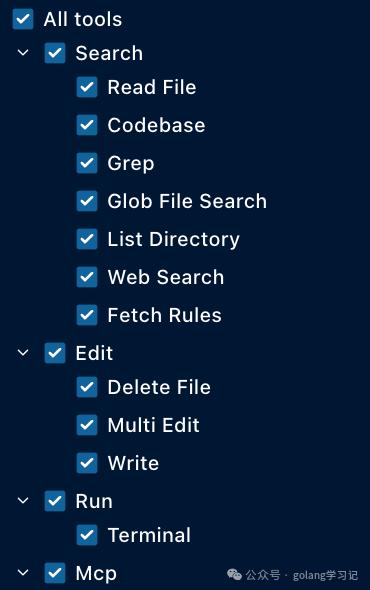
Behind the Agent mode is a complete toolchain loop, currently built-in with 11 types of native tools:
1 File: readFile / writeFile / createDir

2 Code: grep / searchSymbol / findReferences

3 Terminal: runCommand (supports auto-run switch)

4 Network: fetchURL / searchWeb

5 Testing: runTests / debug
More critically, it supports MCP (Model Context Protocol) extensions, for example, the Chrome DevTools MCP can achieve seamless connections from “development → launch → automated testing”.
Knowledge Enhancement: @Docs Indexing System in Action
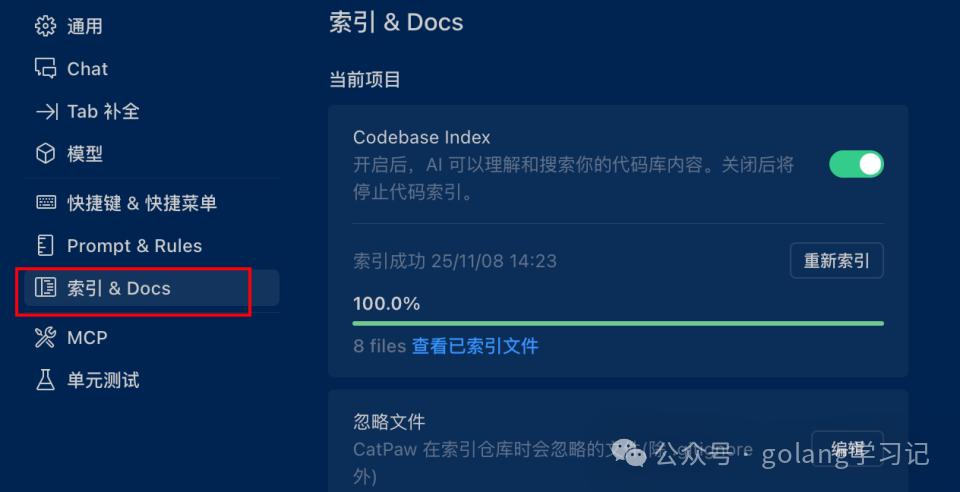
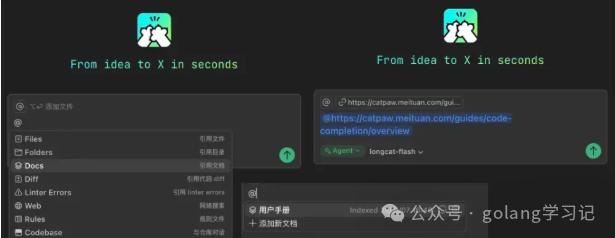
CatPaw replicates and optimizes Cursor’s signature @Docs feature — teaching AI about your private documents.
Operation Process:
- Go to Settings → Indexing & Docs;
- Add URL or local documents (supports Markdown/PDF);
- Wait for the small green dot ✅ indexed prompt to take effect;
- Reference knowledge in conversation using @doc_name.
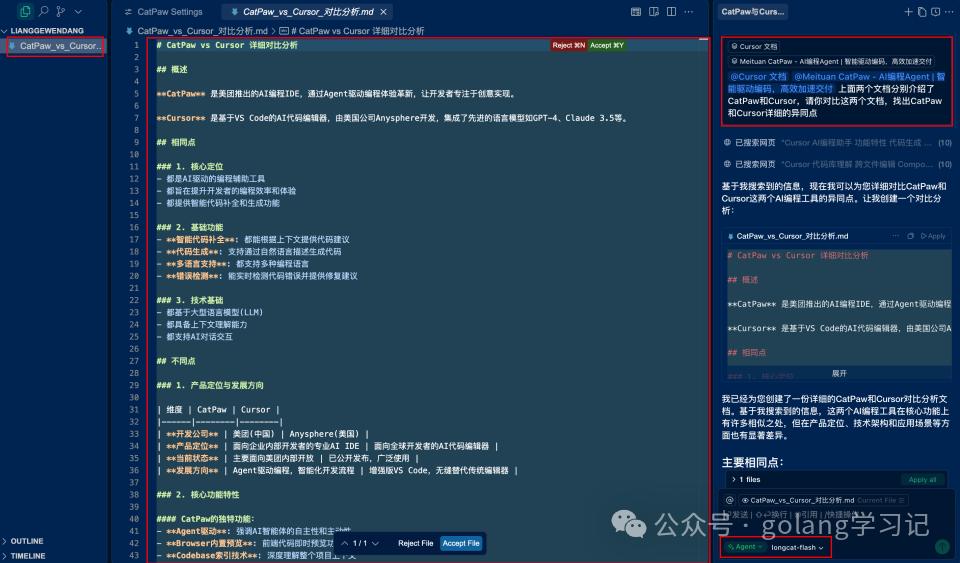
✅ Tested: Indexing both CatPaw official documentation and Cursor Docs simultaneously, the Agent can accurately compare similarities and differences.
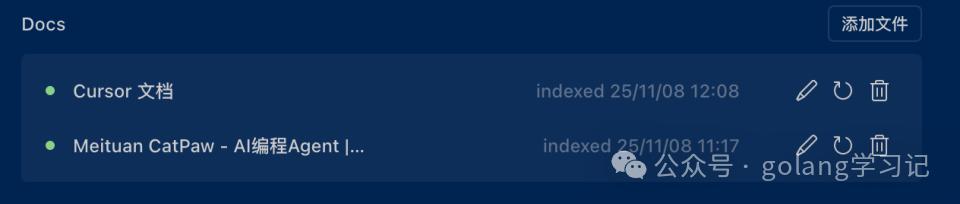
The Agent uses LongCat-Flash (Meituan’s self-developed programming training model) to quickly generate structured analysis, producing high-quality outputs:
Developer Experience: Key Innovations
Custom Agent: Your Personal Programming Partner
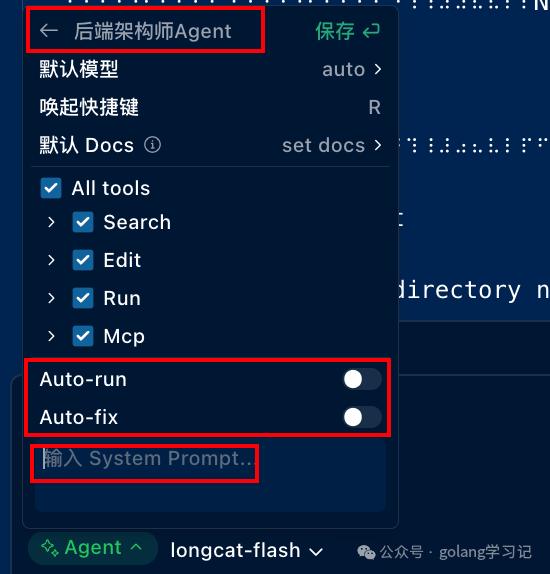
In Agent → Add Mode, you can create a personalized Agent:
- Specify model (LongCat-Flash / GLM-4.6 / Qwen2.5-Coder);
- Select required toolset (principle of least privilege);
- Write role-based prompts (e.g., “You are a senior React performance engineer”);
- Enable auto-fix (automatically fix Linter) or auto-run (automatically execute terminal commands).
Conversation Favorites: Preserving Quality Context
❗ Industry First: Mainstream AI IDEs (including Cursor, Trae) lack this feature.
When multiple rounds of conversation yield an ideal result, you can ⭐️ favorite the current session — quickly reuse it later in History → Favorites.

Scene Value: Team knowledge reuse, archiving complex problem solutions, preserving prompt templates.
Built-in Unit Testing & Real-time Preview
- Testing Integration: The Agent can generate/run Jest/Pytest with one click, covering mainstream frameworks;
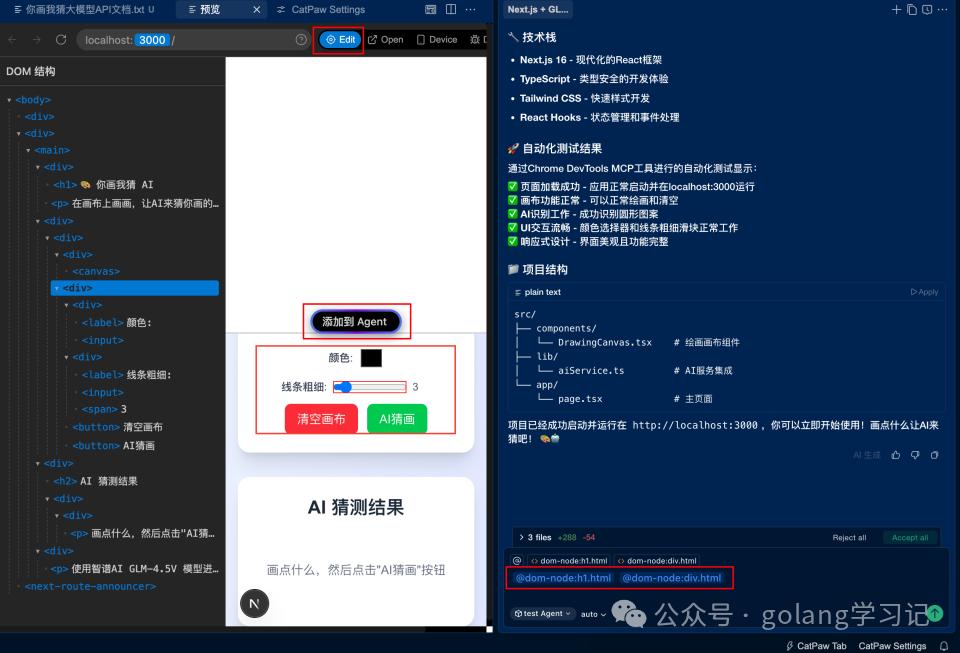
- Real-time Preview: Web projects auto-render, supporting click element → Edit → Agent modification, significantly boosting front-end debugging efficiency.

Built-in System Prompt
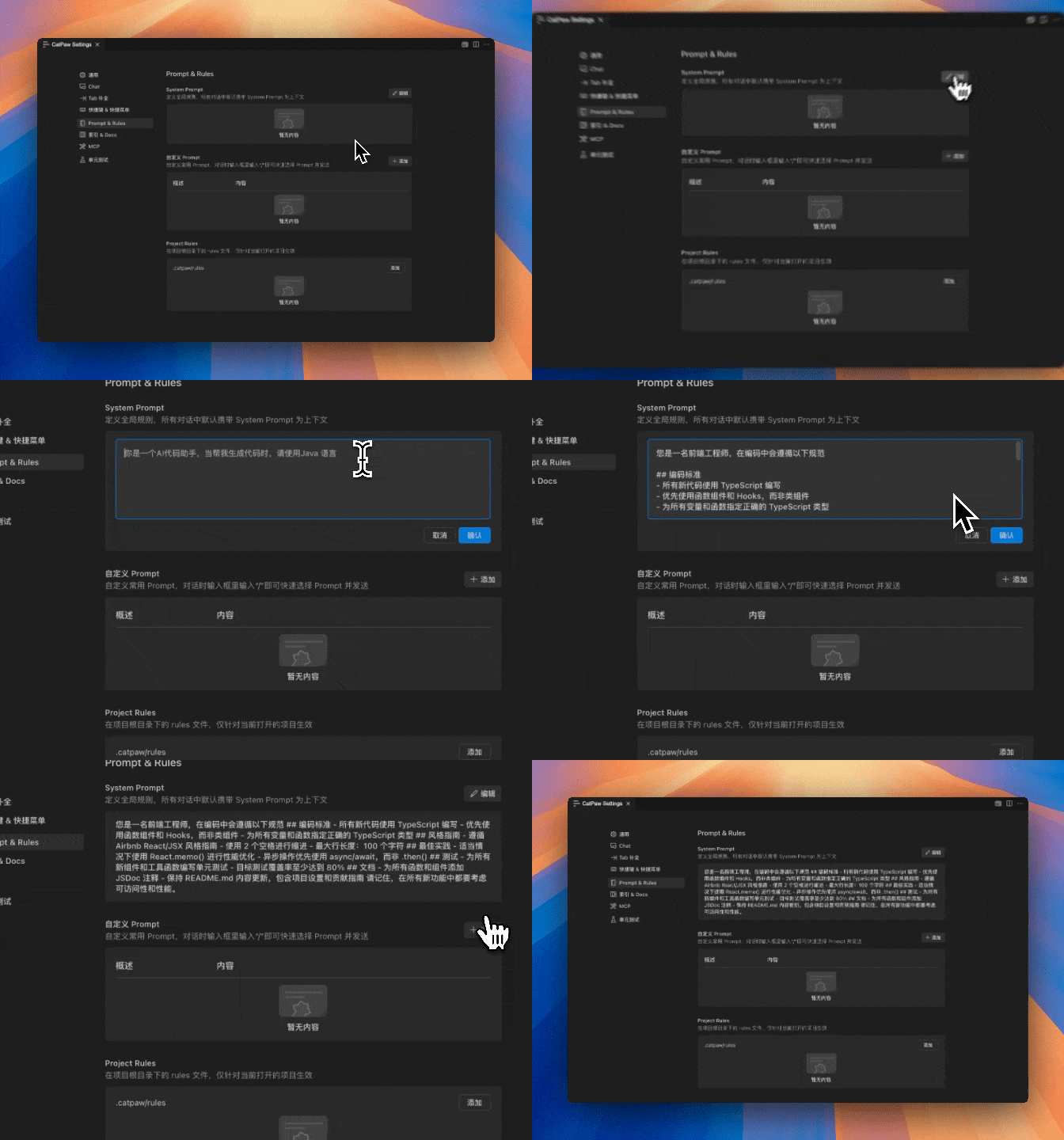
You can configure fixed content from conversations as a System Prompt, which CatPaw will automatically send to the model at the start of each sidebar and inline conversation.
For instance, if you are a front-end developer, you can add your team’s coding standards to the System Prompt, ensuring the AI model adheres to your coding style when generating code.
Model Strategy: Domestic First, Open Compatibility
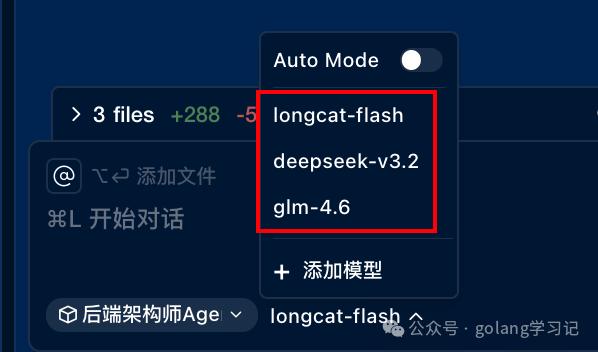
CatPaw currently supports three types of model access:
| Type | Model | Description |
|---|---|---|
| Meituan | LongCat-Flash | Programming training, low latency, high throughput, recommended first choice |
| Domestic | GLM-4.6, Qwen2.5-Coder | Strong Chinese understanding, stable API |
| Third-Party | OpenRouter (including Claude 4.5), Ollama, vLLM | Supports access to some models |
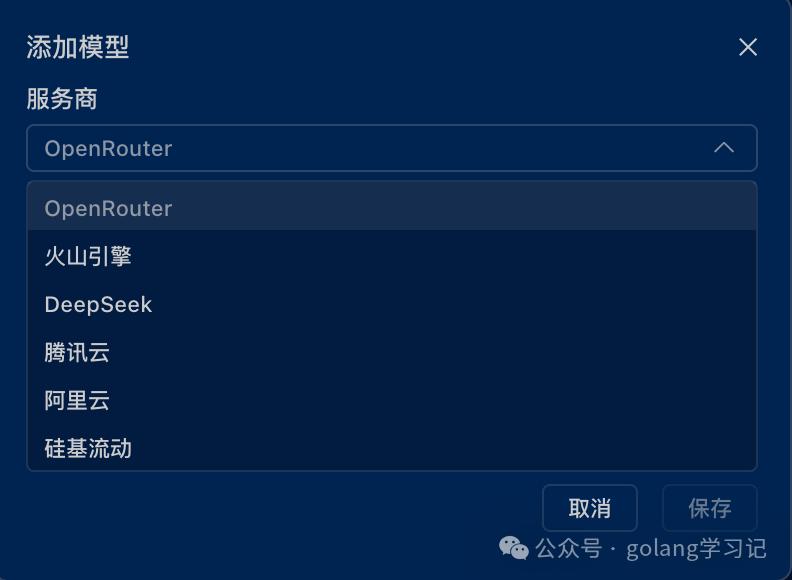
Practical Application: Develop a “Pictionary” Game from Scratch in 10 Minutes
Requirement:
Next.js front-end drawing + back-end calling GLM-4.5V multimodal API for image recognition + automated testing
Complete Execution Chain of the Agent:
- Read the user-provided GLM-4.5V_API.md;
- create next-app;
- Install the konva drawing library;
- Write /api/guess/route.ts to encapsulate GLM API;
- Build the front end: canvas + submit button + results area;
- npm run dev;
- Start the service;
- Call Chrome DevTools MCP, automatically open the browser and take a screenshot for verification.
✅ Completed in 1 conversation (consuming 1 quota), successfully without rework.

Comments
Discussion is powered by Giscus (GitHub Discussions). Add
repo,repoID,category, andcategoryIDunder[params.comments.giscus]inhugo.tomlusing the values from the Giscus setup tool.